> For the complete documentation index, see [llms.txt](https://help.fulfilleo.solvenium.com/llms.txt). Markdown versions of documentation pages are available by appending `.md` to page URLs; this page is available as [Markdown](https://help.fulfilleo.solvenium.com/faq.md).
# FAQ
Frequently Asked Questions
### What IP address does Fulfilleo use for FTP connections?
Fulfilleo connects to FTP servers from the IP address **165.227.252.217**. If your supplier's server is protected by a firewall, ask them to whitelist this address so that incoming connections from it are allowed.
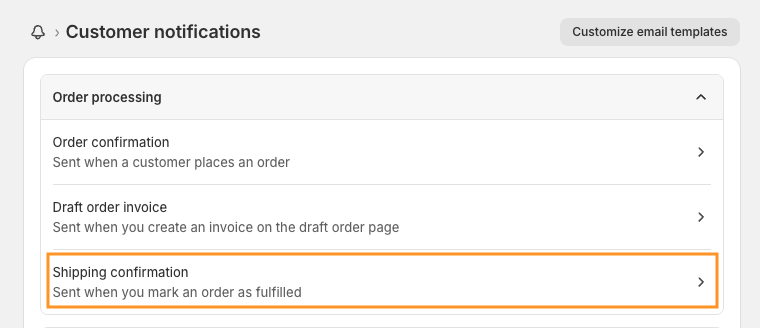
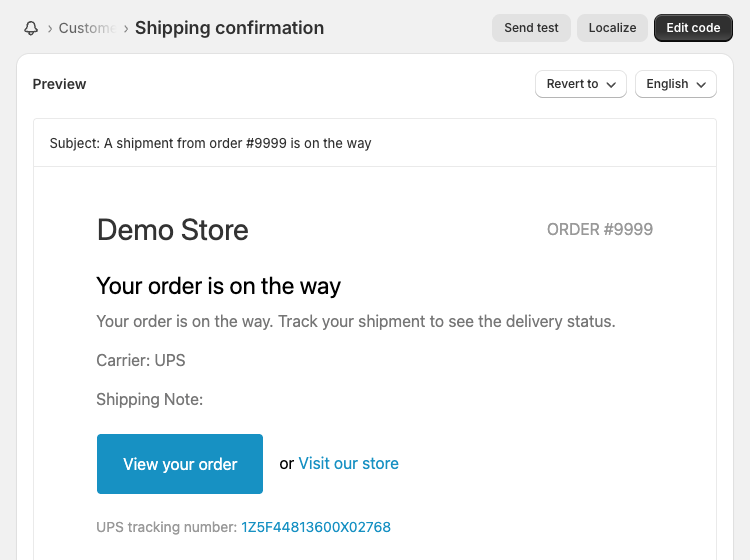
### Where can I see or edit the email that is send to the customer?
Fulfilleo sends the tracking numbers to customers using the Shopify's shipping confirmation email. You can preview and edit the email template in your store settings (Settings > Notifications > Customer notifications > [Shipping confirmation](https://shopify.com/admin/email_templates/shipping_confirmation/preview)).