# Order acknowledgements

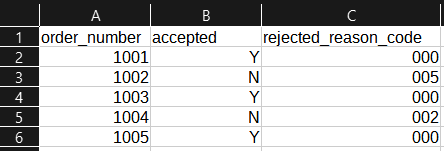
Fulfilleo allows you to automate updates to order metafields without fulfilling the orders. This feature is useful for marking orders as accepted or rejected based on an acknowledgment file provided by your fulfiller.

<figure><img src="/files/x7G0Urnsp0lI0JK3oXDf" alt="Screenshot of a sample acknowledgment CSV file showing order numbers, status, and other fields that can be used for updating order metafields."><figcaption><p>Sample acknowledgment CSV file</p></figcaption></figure>

To process an acknowledgment file without marking the order as fulfilled:

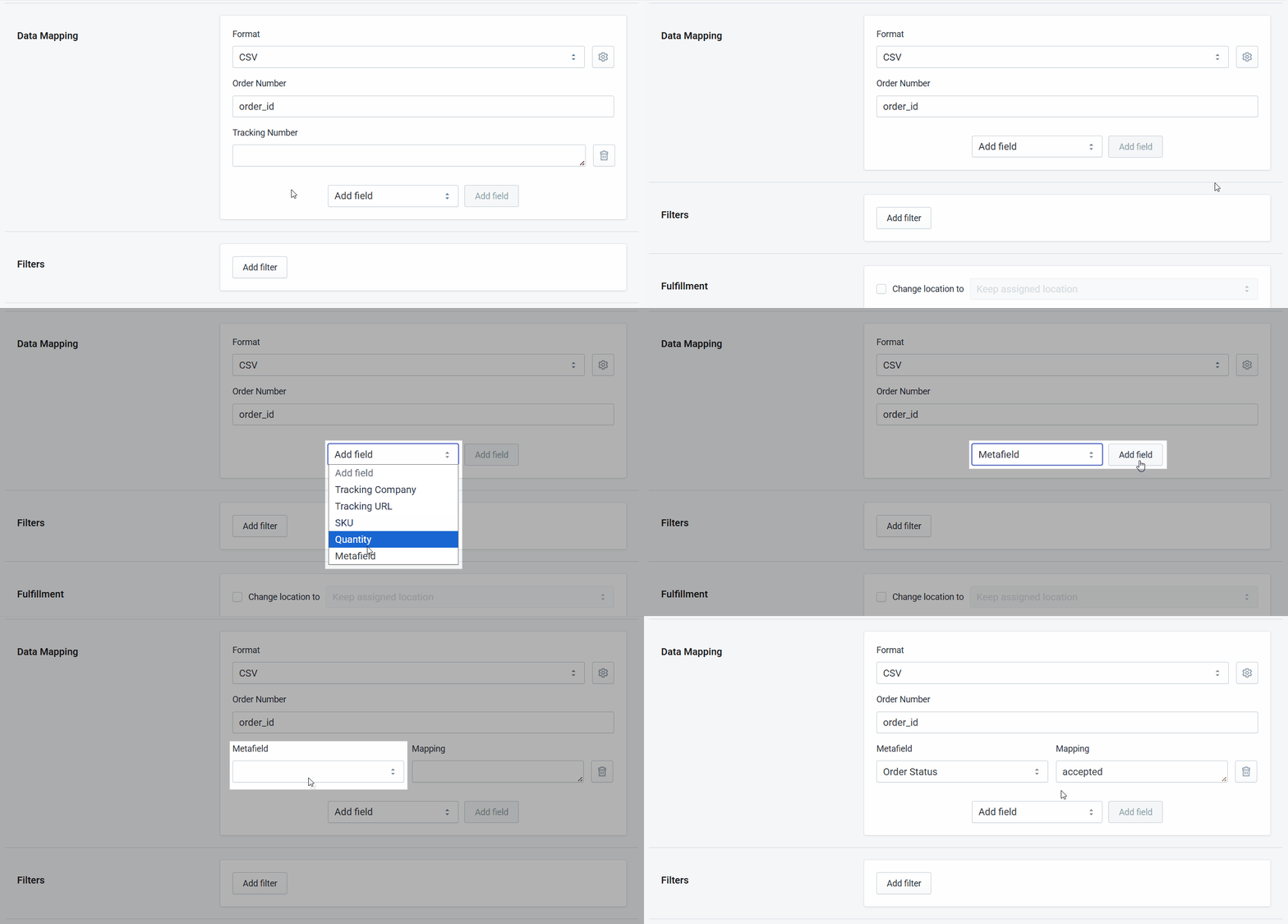
1. Go to the **Data Mapping** section.
2. Delete the **Tracking Number** field.
3. Add the **Metafield** field (or multiple fields).
4. Select the metafield(s) to update and configure the mapping.

<figure><img src="/files/O0wBTlzOojbvEiD325t6" alt="Animated and annotated view of the Fulfilleo data mapping screen showing how an acknowledgment file is mapped to update order metafields without fulfilling the order"><figcaption><p>Fulfilleo data mapping for acknowledgment files, updating order metafields</p></figcaption></figure>

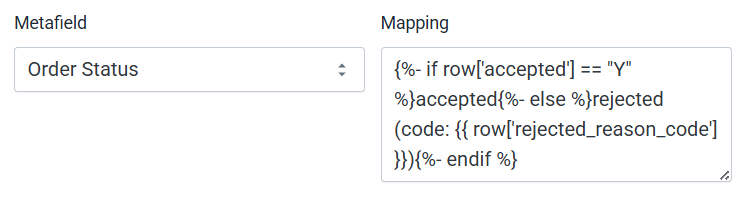
You can also use **Liquid** to transform values from the feed into a format that works best for your workflow.

```liquid
{%- if row['accepted'] == "Y" %}accepted{%- else %}rejected (code: {{ row['rejected_reason_code'] }}){%- endif %}
```

<figure><img src="/files/FNF3DfenOx9scTQfQGF7" alt="Fulfilleo data mapping screen showing a Liquid formula used to transform acknowledgment file values before updating order metafields"><figcaption><p>Fulfilleo data mapping using a Liquid formula for acknowledgment files</p></figcaption></figure>

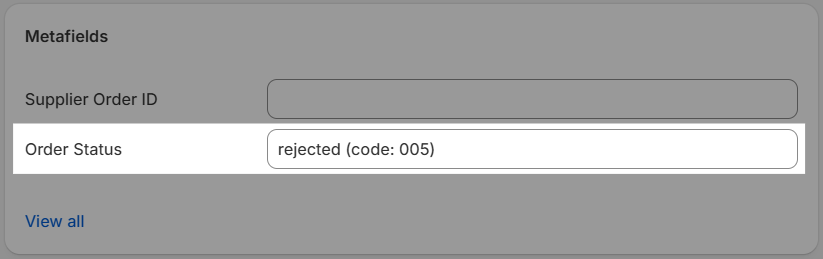
<figure><img src="/files/NL8FB7qYhSmS3CmkeWKj" alt="Order details view showing a metafield updated from an acknowledgment file, with the value transformed using a Liquid formula"><figcaption><p>Order metafield updated using an acknowledgment file value converted with a Liquid formula</p></figcaption></figure>


---

# Agent Instructions: Querying This Documentation

If you need additional information that is not directly available in this page, you can query the documentation dynamically by asking a question.

Perform an HTTP GET request on the current page URL with the `ask` query parameter:

```
GET https://help.fulfilleo.solvenium.com/use-cases/order-acknowledgements.md?ask=<question>
```

The question should be specific, self-contained, and written in natural language.
The response will contain a direct answer to the question and relevant excerpts and sources from the documentation.

Use this mechanism when the answer is not explicitly present in the current page, you need clarification or additional context, or you want to retrieve related documentation sections.