# Update order tracking from Text

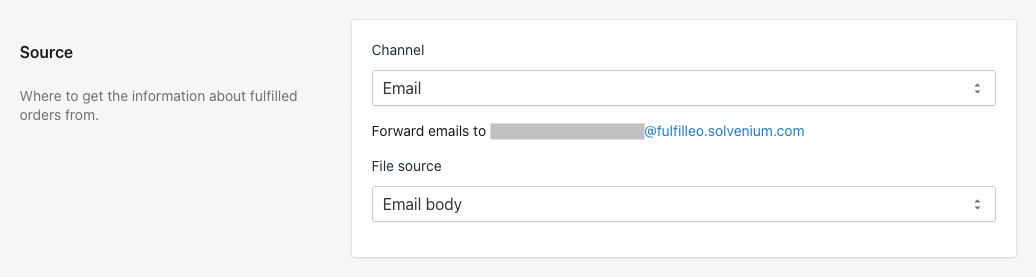
If tracking information is included in the body of an email, not as an attachment, you can extract this information, by setting the Channel to **Email**, and the File source to **Email body**.

<figure><img src="https://2609323150-files.gitbook.io/~/files/v0/b/gitbook-x-prod.appspot.com/o/spaces%2F97qHA4IuHSHLxA8BhsWe%2Fuploads%2Fgit-blob-7835911903ae0f700ecf162dbd08491ea08d5e20%2Ffulfilleo-email-source-file.png?alt=media" alt=""><figcaption><p>Setting file source to email body</p></figcaption></figure>

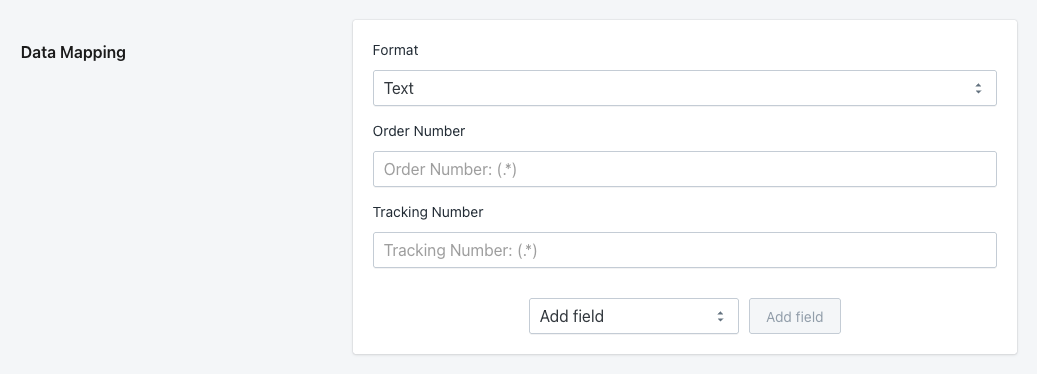
In Data Mapping section you need to set Format to **Text**, and specify mapping for Order Number, and Tracking Number. Optionally, you can add Tracking Company, Tracking URL, SKU, and Quantity fields. In order to fill those fields, you need to provide regular expressions that will match text contents of the email that the automation will process.

{% hint style="warning" %}
All emails to be processed by Fulfilleo automation must have a consistent format.
{% endhint %}

<figure><img src="https://2609323150-files.gitbook.io/~/files/v0/b/gitbook-x-prod.appspot.com/o/spaces%2F97qHA4IuHSHLxA8BhsWe%2Fuploads%2Fgit-blob-0404ad56d6d8d8e60ac557e1e339ec35003aab01%2Ffulfilleo-text-data-mapping.png?alt=media" alt=""><figcaption><p>Data Mapping section of Fulfilleo automation</p></figcaption></figure>

#### Example

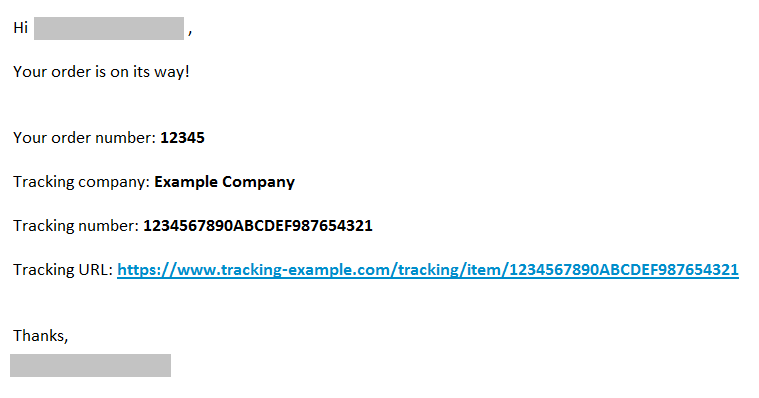
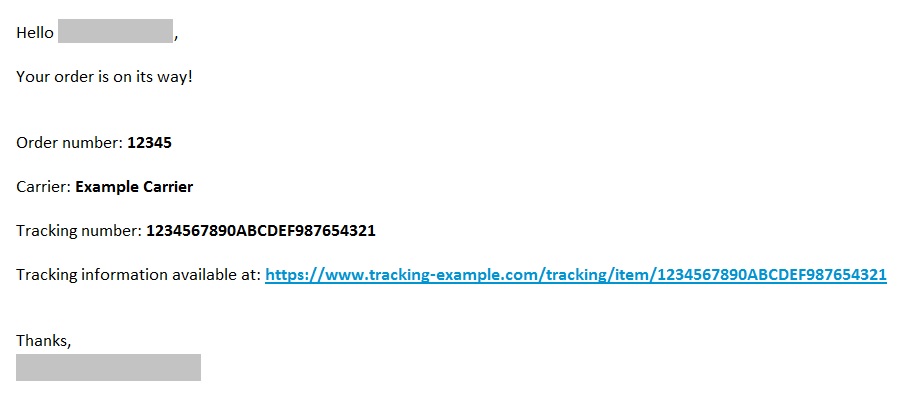
Consider an email in the following format:

<figure><img src="https://2609323150-files.gitbook.io/~/files/v0/b/gitbook-x-prod.appspot.com/o/spaces%2F97qHA4IuHSHLxA8BhsWe%2Fuploads%2Fgit-blob-2083ee651ec95e49fc59f0089e60364863ebea11%2Fswitchup.png?alt=media" alt=""><figcaption><p>Email example</p></figcaption></figure>

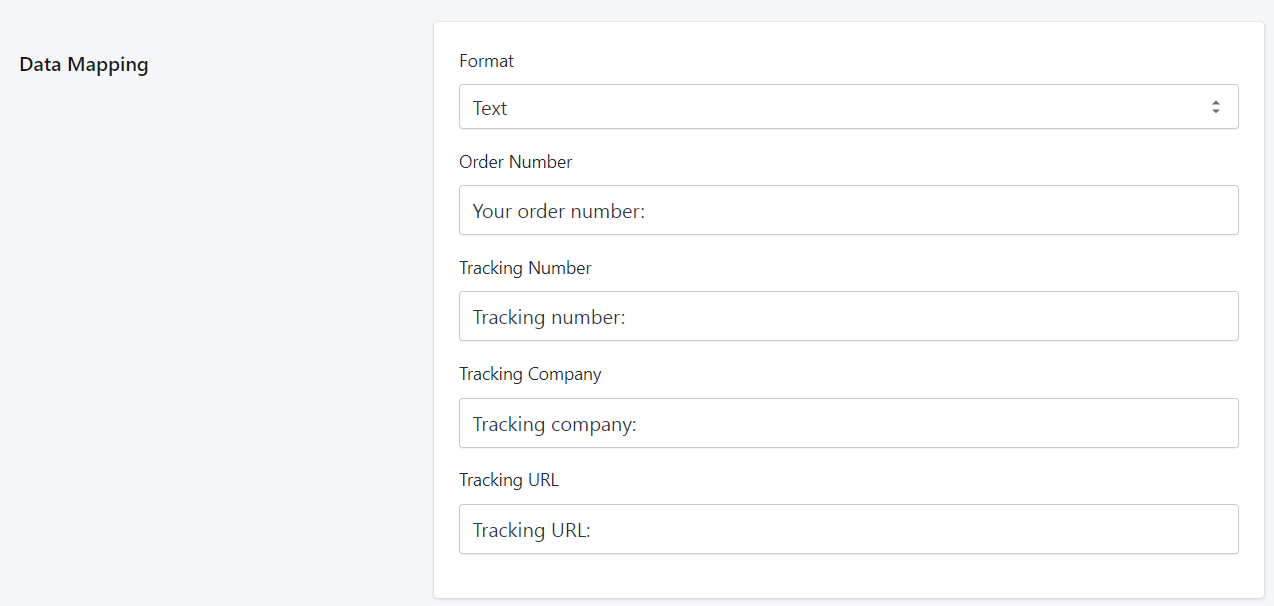
To create regular expressions that will match the contents of the email above, you simply need to enter the whole line that precedes the actual value to be extracted.

<figure><img src="https://2609323150-files.gitbook.io/~/files/v0/b/gitbook-x-prod.appspot.com/o/spaces%2F97qHA4IuHSHLxA8BhsWe%2Fuploads%2Fgit-blob-fbb54a52d32f6c7c5d467925d4983165937054e7%2Fswitchup%201.png?alt=media" alt=""><figcaption><p>Data mapping for the example email</p></figcaption></figure>

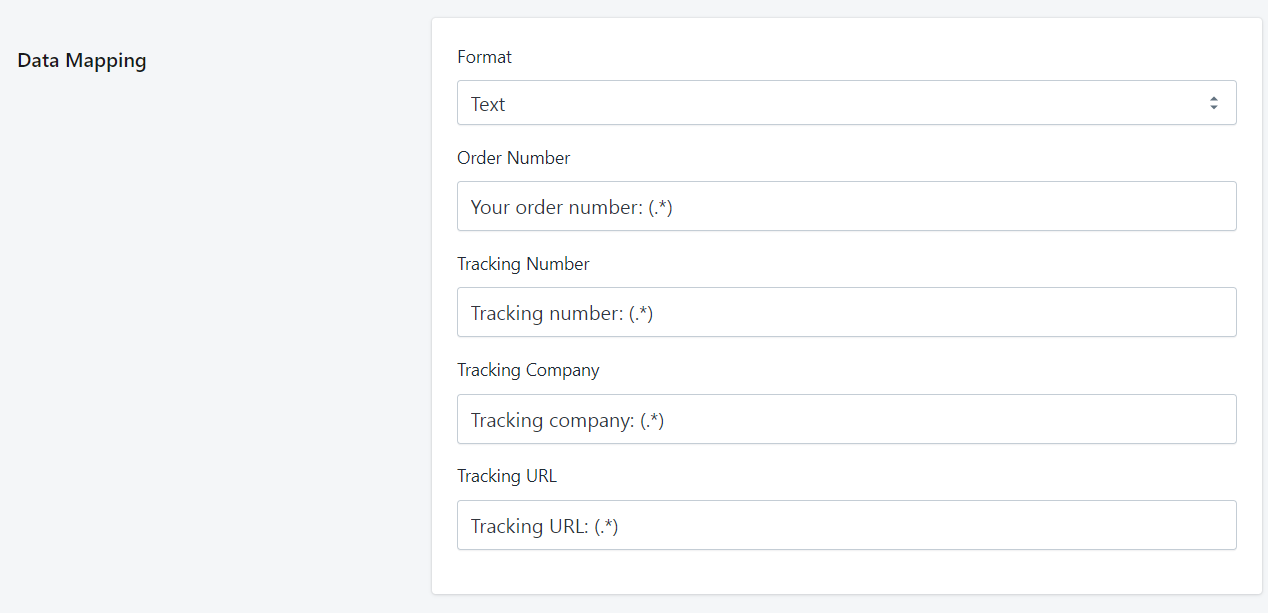
Fulfilleo automatically adds a *capturing group* in brackets at the end of every Data Mapping element. It is responsible for extracting the concrete information from the surrounding text. The capturing group expression added by Fulfilleo is *(**.\***)*, which is the most generic expression, allowing a match regardless of the data format. You can add that capturing group explicitly, but it isn't necessary as it is added automatically under the hood.

<figure><img src="https://2609323150-files.gitbook.io/~/files/v0/b/gitbook-x-prod.appspot.com/o/spaces%2F97qHA4IuHSHLxA8BhsWe%2Fuploads%2Fgit-blob-92ab961cb8302c35cb8d3657fe07b038a13bdaec%2Fswitchup%202.png?alt=media" alt=""><figcaption><p>Data mapping with capturing groups included</p></figcaption></figure>

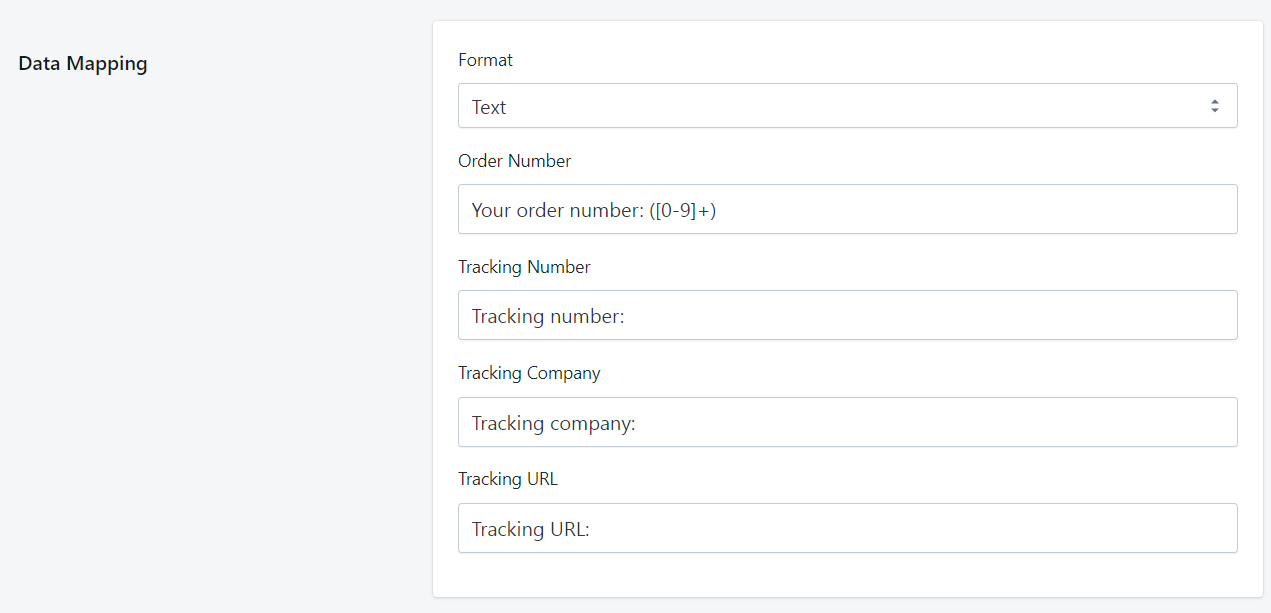
You can specify a different capturing group based on the data format for particular Data Mapping element. In the example above, the order number is expressed only with digits, doesn't have any letters or special characters. In that case, we can specify the capturing group in such a way that it will only match actual numbers: *(**\[0-9]+**).* When you're specifying a different capturing group, you must include it in the Data Mapping field explicitly.

<figure><img src="https://2609323150-files.gitbook.io/~/files/v0/b/gitbook-x-prod.appspot.com/o/spaces%2F97qHA4IuHSHLxA8BhsWe%2Fuploads%2Fgit-blob-894bbc5871c593c83b837338e3ed7805c29cefd0%2Fswitchup%203.png?alt=media" alt=""><figcaption><p>Data mapping section with specified capturing group</p></figcaption></figure>

#### Example

Let's consider an email with a different format.

<figure><img src="https://2609323150-files.gitbook.io/~/files/v0/b/gitbook-x-prod.appspot.com/o/spaces%2F97qHA4IuHSHLxA8BhsWe%2Fuploads%2Fgit-blob-91e81b8fa691d6316368a976783b8db183c22c57%2Fexample%20email2.jpg?alt=media" alt=""><figcaption><p>Different email format example</p></figcaption></figure>

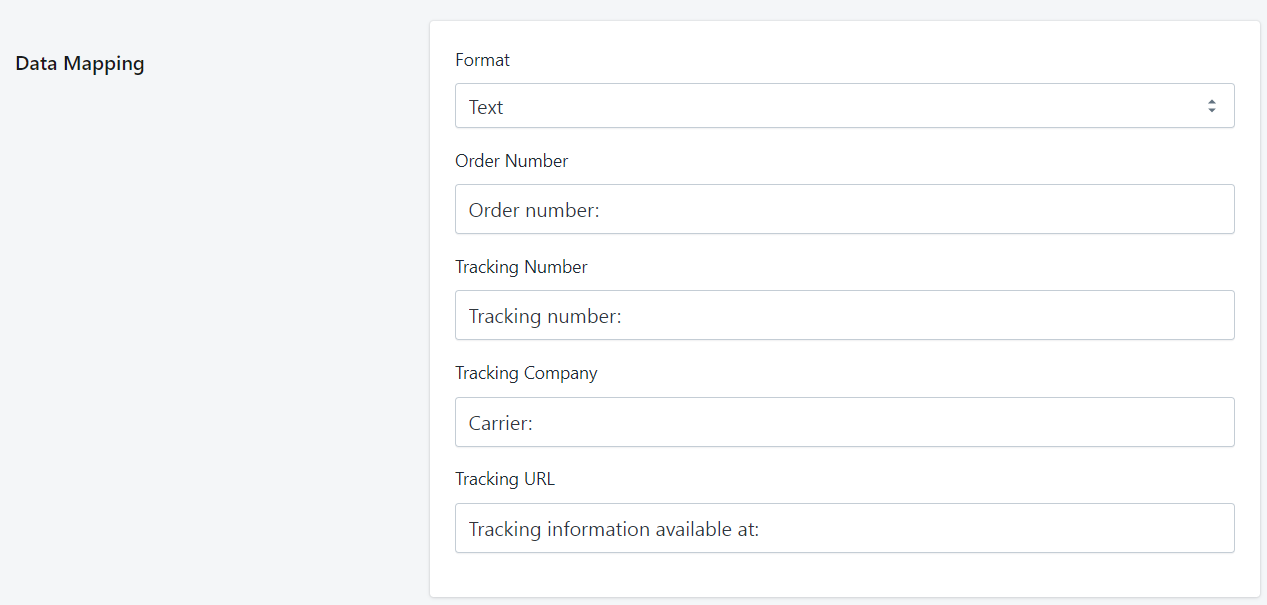
Once again we have to provide each line of text preceding the concrete data. It is crucial that the text is identical, you have to be careful not to add additional spaces or change the letter cases.

<figure><img src="https://2609323150-files.gitbook.io/~/files/v0/b/gitbook-x-prod.appspot.com/o/spaces%2F97qHA4IuHSHLxA8BhsWe%2Fuploads%2Fgit-blob-fde40f15d3d5496e290bdfaa40d9370faaeefecd%2Fmapping%204.png?alt=media" alt=""><figcaption><p>Data Mapping section for a different email format</p></figcaption></figure>